
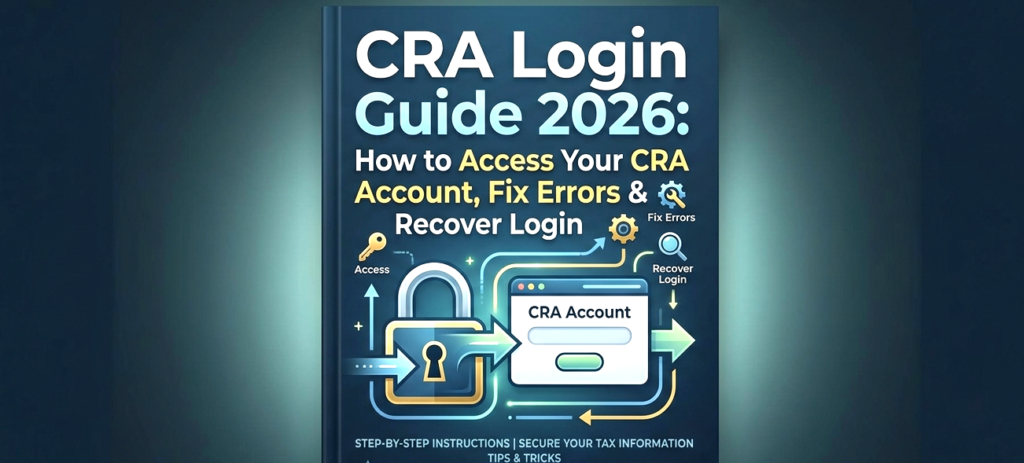
The CRA Login Guide 2026 is essential for Canadians who want to securely access their Canada Revenue Agency (CRA) account to manage taxes, check benefit payments, and update personal information. In 2026, millions of users will rely on their CRA account to track important payments such as the Canada Carbon Rebate, GST/HST Credit, and other government benefits. Now more than ever, taxpayers need to access their CRA account because they need to file their taxes and monitor their financial aid.
In 2026, accessing your CRA account has become even more critical as most government services are now fully digital. The CRA portal provides online access to all functions required for checking tax return status, tracking benefit payments, and updating banking details. Users commonly experience problems with their accounts because they cannot log in, or they have forgotten their passwords, or their accounts have been locked, or they face technical difficulties that prevent them from accessing vital financial data.
This complete CRA Login Guide 2026 is designed to help you navigate the process easily. The guide provides first-time users and users with login issues with complete instructions and solutions for account recovery to help them access their CRA account.
What is a CRA Account?
A CRA account (My Account) is a secure online portal that allows Canadians to:
- Check benefit payments
- File and track tax returns
- Update personal details
- View notices from CRA
- Manage direct deposit
The website is the primary place where users can access all financial data related to government matters.
How to Login to CRA Account (Step-by-Step)
You have two main methods to access your CRA account.
Option 1: Sign-In Partner
This method allows you to log in using your online banking credentials.
Steps:
- Visit the CRA login page
- Click on “Sign-In Partner”
- Select your bank
- Enter your banking login details
The system provides two advantages because users can access it quickly without needing to memorize additional login information.
Option 2: GCKey Login
GCKey is a government-issued login credential.
Steps:
- Visit the CRA login page
- Select “GCKey”
- Enter username and password
- Answer security questions
The system provides two benefits because it maintains high security standards while offering users access to their accounts without needing banking access.
CRA Login for First-Time Users
If you’ve never accessed your CRA account, follow these steps:
How to Register:
- Go to CRA “My Account” page
- Click on Register
- Enter your:
- SIN number
- Date of birth
- Postal code
- Create login credentials
- Verify your identity
The system requires you to provide a security code, which will be sent to your mailing address in order to grant you complete system access.
Common CRA Login Problems & Fixes
Users encounter problems when they attempt to access their accounts. The following steps explain the process for solving these problems:
1. Forgot Username or Password
Solution:
- Click “Forgot username/password.”
- Follow the reset instructions
- Verify identity
2. CRA Account Locked
Reason:
Multiple incorrect login attempts
Solution:
- Wait 24 hours OR
- Reset credentials
3. Sign-In Partner Not Working
Solution:
- Try GCKey instead
- Clear browser cache
- Check bank service availability
4. CRA Website Not Loading
Solution:
- Try a different browser
- Check the internet connection
- Wait for maintenance to end
5. Error Codes
Some users see error messages during their login attempts.
Fix:
- Follow the instructions shown
- Contact CRA if needed
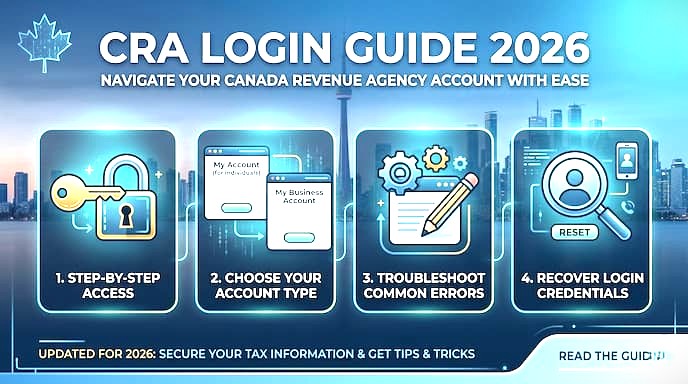
How to Recover Your CRA Account
If you can’t access your account:
Reset Password:
- Click “Forgot password.”
- Answer security questions
- Create a new password
Unlock Account:
- Wait 24 hours OR
- Contact CRA support
Contact CRA:
- Call CRA helpline
- Verify identity
- Request account recovery
What You Can Do After Logging In
You can access the following features after you complete your login process:
Check Benefit Payments
- Carbon Rebate
- GST/HST Credit
- Canada Child Benefit
Check the full schedule here: Canada Benefit Payment Dates 2026
View Tax Information
- Notices of assessment
- Tax returns
Update Direct Deposit
The system allows users to update their direct deposit information through bank detail modifications.
Read CRA Messages
The CRA messages contain two types of information
- Important updates
- Payment notices
Security Tips for CRA Login
Protect your account by following these tips:
Use Strong Passwords
- Avoid using passwords that are either simple or identical to each other
Enable Two-Factor Authentication
- This feature provides an additional security protection mechanism
Avoid Public Wi-Fi
- You should never access your account through unsecured public networks
Watch for Scams
- The CRA never requests password information through email messages
Can You Access CRA on Mobile?
Yes, you can:
- Use a mobile browser
- Access CRA securely
- Manage your account anytime
Ensure your device is secure before logging in.
Why CRA Login is Important in 2026
Organizations need active access to CRA login because their digital operations increasingly depend on online services.
The login system enables users to:
- Track their benefit payments
- Handle their tax documents
- Prevent delays in their payments
Correct access to the system allows users to:
- Receive their benefits without delay
- Get all necessary alerts
- Obtain accurate information.
What to Do If You Can’t Access Your CRA Account
If login fails:
Try the Alternative Login Method
- Switch between GCKey and Sign-In Partner
Clear Browser Cache
- Fixes technical issues
Reset Credentials
- Use recovery options
Contact CRA
- Last option for support
Facing payment issues? Read: Carbon Rebate Not Received 2026
Frequently Asked Questions (FAQs)
- How do I log into CRA in 2026?
The CRA website allows users to log in through two methods, which are GCKey and Sign-In, Partner.
- What if I forgot my CRA password?
Use the “Forgot password” option to reset it.
- Why is my CRA account locked?
Your account is locked after multiple login attempts with incorrect credentials.
- Can I access CRA outside Canada?
You can access CRA from any location that provides you with internet connectivity.
- Is CRA login safe?
The login system remains secure when users implement recommended security measures.
- Do I need a CRA login for benefits?
The system requires CRA login because it enables you to monitor your payments while handling your personal details.
- What if the CRA login is not working?
You should attempt to use different login methods while reaching out to support for assistance.
Final Thoughts
The CRA Login Guide 2026 is essential for every Canadian who wants to manage taxes and benefit payments efficiently.
The following information helps you to achieve uninterrupted access to your CRA account:
- Login methods
- Common issues
- Recovery steps
The CRA Login Guide 2026 serves as an essential resource for all Canadians who need to manage their tax obligations and benefit payments.
Stay updated with the latest Canada benefit news and payment alerts only on Benefits Pulse Hub.

Pingback: CRA Direct Deposit Setup Guide 2026 | Benefits Pulse Hub
Pingback: Canada Dental Benefit 2026 | Benefits Pulse Hub
Pingback: Disability Tax Credit Canada 2026 | Benefits Pulse Hub
Pingback: Alberta Child and Family Benefit 2026 | Benefits Pulse Hub
Pingback: How to Change Address With CRA in 2026: Online, Phone & Mail
Pingback: Why Didn't I Get My GST/HST Credit in 2026? What to Do Next
Pingback: Canada Workers Benefit Eligibility 2026 | Benefitspulsehub
Pingback: CRA Notice of Assessment Explained 2026 | Benefitspulsehub
Pingback: CRA Tax Refund Status 2026: How to Check & Common Delays
Pingback: CRA Notice of Reassessment Explained 2026: What It Means
Pingback: CRA Mail Delivery Explained: 2026 Guide to CRA Letters