
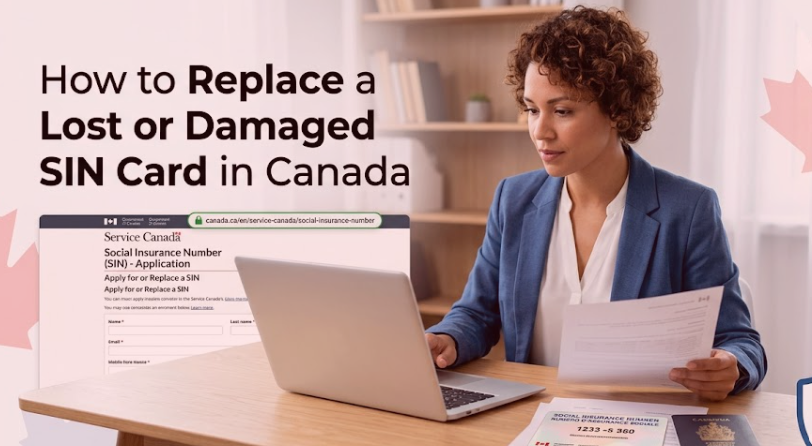
Knowing how to replace a lost or damaged SIN card in Canada is important if you need proof of your Social Insurance Number for employment, taxes, or government benefit applications. Even if the Government of Canada no longer issues plastic SIN cards, you can still obtain official confirmation of your SIN if your original card has been misplaced, stolen, or damaged.
Your SIN is one of the most important pieces of personal data you have. It lets you work in Canada, file your income tax return, access government initiatives, and receive payments like the Canada Child Benefit (CCB), the Canada Workers Benefit (CWB), and Old Age Security (OAS). Since your SIN is tied to delicate financial and personal records, you should protect it from loss or misuse.
This guide talks about how to replace a lost or damaged SIN card in Canada, which documents you may be asked for, how to request official confirmation of your SIN, and how to keep your information safe from identity theft.
What is a Social Insurance Number (SIN)?
A Social Insurance Number (SIN) is a one of a kind nine digit number, issued by the Government of Canada. It is used to recognize people for employment, taxation and to access government benefits and services, which is pretty important.
Your SIN could be needed when you
- Begin a new job
- Submit your income tax return
- Apply for government benefits
- Open certain registered savings plans
- Get pension or retirement benefits.
Since your SIN connects to key government records, you should share it only when it is required by law, not before.
Does Canada still issue SIN cards?
No.
The Government of Canada no longer sends out plastic SIN cards. Instead, people either get a Confirmation of SIN Letter or they can look up their SIN details through official documentation.
If your older plastic SIN card is lost, stolen, or even damaged, you typically do not need to swap the physical card. Rather, you can request confirmation of your existing SIN when you have to.
Many employers and government agencies only require your SIN number, instead of the physical card, you know.
What Should You Do If Your SIN Card Gets Lost or Becomes Damaged?
If your SIN card is lost or damaged, do not panic.
In most situations, your SIN number stays the same. Just because the card is missing does not automatically mean you need a new Social Insurance Number, ok.
Instead, you should
- Confirm whether you already know your SIN
- Look over your official tax documents or employment paperwork
- Ask for confirmation if you cannot find your SIN
- Keep an eye on your personal information for any signals of identity theft
Taking action quickly reduces the chance of unauthorized use, and that matters.
When Should You Request Official Confirmation About Your SIN?
You may need official confirmation if
- You cannot recall your SIN
- Your confirmation document was lost
- Your original SIN record has been damaged
- An employer asks for formal proof
- You need your SIN to apply for a government benefit.
If you already know your SIN and there is no real reason to hand over official proof, then swapping your documentation may not be necessary in the first place.
Documents That Might Hold Your SIN
Before you request a replacement confirmation, take a moment to see if your SIN is already showing up in any current papers, for example:
- Income tax paperwork
- T4 slips
- Records of Employment (ROE)
- Pension statements
- Earlier Notices of Assessment
- Government benefit documents
Reviewing these materials might save you time and avoid needing extra evidence later, which can make things a bit smoother overall.
If you’re reviewing your tax records, our CRA Notice of Assessment Explained 2026 guide explains where to find important tax information and how your Notice of Assessment can help verify your records.
How to deal with a lost or damaged SIN card in Canada
Even though physical SIN cards are no longer issued, you can still ask for official confirmation of your Social Insurance Number, which is what you need instead of the card.
Step 1: Collect your proof of identity
Before you apply, make sure you have government-issued identification that shows who you are.
Depending on your case, Service Canada may ask for documents that support:
- Identity
- Legal name
- Citizenship, or immigration status
Double-check that everything is up to date and still valid.
Step 2: Send your request
In most cases, you can request confirmation of your SIN through Service Canada using the options they provide.
Based on the current process, the request might be handled:
- Online
- By mail
- In person at a Service Canada Centre
Pick the option that matches your situation, and then follow the instructions Service Canada gives you.
Step 3: Allow time for review
After Service Canada receives your request, they check your documents and they confirm your identity.
If more information is required, you might be contacted before your request is finished.
Protecting Your SIN During the Process
Your SIN is private; do not share it casually.
When you are replacing or confirming your SIN :
- Never email your SIN unless it is needed via a secure government service.
- Try not to keep documents that show your SIN, unless you really need them.
- Store your confirmation letters in a safe spot, out of view.
- Give your SIN only when it is legally required.
Taking these steps lowers the risk of scams and identity theft.
What If You Think Someone Is Using Your SIN?
If you think your SIN was taken or used without your okay, respond quickly.
Some warning signs can include :
- Tax notices you never expected.
- Employment records you do not recognize.
- Government benefits being requested without your knowledge.
- Credit applications you did not submit.
If you suspect identity theft, reach the right government offices as soon as possible, then keep an eye on your financial records carefully.
How Your SIN can unlock Government benefits
Your SIN is needed for many federal programs and for benefit applications in general.
A few common examples include:
- Canada Child Benefit (CCB)
- GST/HST Credit
- Canada Workers Benefit (CWB)
- Old Age Security (OAS)
- Guaranteed Income Supplement (GIS)
- Canada Pension Plan (CPP)
Keeping your SIN details safe and secure also helps prevent gaps in support, so you keep uninterrupted access to these important programs.
If you’re applying for retirement benefits, read our How to Apply for Old Age Security in 2026 guide to learn about the application process and eligibility requirements.
Can You Change Your SIN Number?
Most times, no.
Service Canada generally does not issue a new SIN just because the confirmation paper was lost or damaged.
A new SIN can be issued only in unusual scenarios, for example, when identity theft is confirmed or when the Government of Canada determines other circumstances.
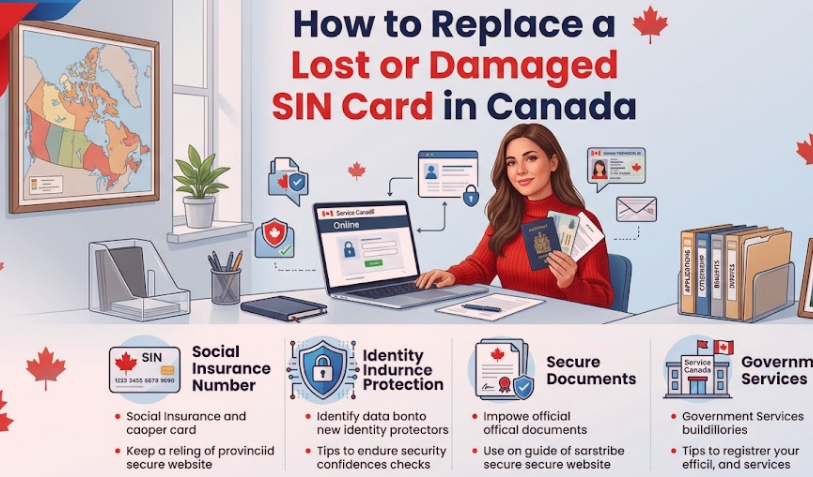
How long does it take to get SIN confirmation?
The amount of time it takes to receive confirmation for your Social Insurance Number depends on how you apply and whether Service Canada asks for more details to confirm who you are. If your application is complete and every required document is included, the processing tends to be quicker. Still, there can be holdups, especially when:
- Some identification papers are missing
- Your application has inaccurate information
- Extra identity checks become necessary
- Service Canada is dealing with a large number of requests at the same time
To reduce the chance of delays, you should review everything before sending it and make sure each document is current and valid.
How to safeguard your SIN from identity theft
Your Social Insurance Number is one of the most sensitive pieces of personal information you have. Criminals might try to use a stolen SIN to do identity theft, request credit, get a job fraudulently, or access government programs.
Following a few basic precautions can help protect your personal information, even when things get busy.
Keep Your SIN in a Safe Place
Tuck your SIN confirmation letter and other important records in a secure spot, like a locked file cabinet or a home safe.
Do not keep documents that show your SIN on you unless it is absolutely needed.
Share Your SIN Only When Required
Not every organization has the legal authority to ask for your SIN.
Give it only when it is needed for purposes like:
- Employment
- Income tax reporting
- Government benefit applications
- Registered savings plans
If you are unsure why the SIN is being requested, ask whether another identity document can be used in its place.
Monitor Your Financial Records
Check your:
- CRA correspondence
- Bank statements
- Credit reports
- Government benefit records
Unexpected activity could be an early warning sign of identity theft, which people often miss at first.
If you notice unfamiliar information on your tax account, our CRA Login Guide 2026 explains how to securely access your CRA My Account and review your personal tax information.
Keep Your Personal Information Updated
Try to keep your records aligned with the right government agencies. When everything stays current, you are more likely to receive important notices, and benefit payments continue without interruption.
Go back and check your
- Mailing address
- Banking information
- Marital status
- Contact details
If you’ve recently changed banks, our How to Change Banking Information With CRA in 2026 guide explains how to update your direct deposit information for government payments.
Common mistakes to avoid
When you are replacing proof of your SIN, try not to make these mistakes.
Assuming you need a new SIN
Many people think they have to get a completely new Social Insurance Number after losing a SIN card. In most situations, that is not required. Your current SIN still works, and you just need official confirmation of the number if you cannot find it anymore.
Providing wrong or mismatched documents
If you submit incomplete identification or materials that do not meet the criteria, the review may take longer than expected.
Before you apply, double-check that every document follows Service Canada rules right now.
Sharing your SIN too frequently
Give your SIN only when it is truly required by law.
Using it in unnecessary situations raises the chance of identity theft.
Ignoring suspicious activity
If you see odd job history entries, unexpected government mail, or financial activity that does not match you, look into it quickly.
Acting early can lessen the damage from identity fraud.
Frequently Asked Questions
Can I swap my old plastic SIN card?
No. The Government of Canada no longer hands out plastic SIN cards. If you need evidence that your Social Insurance Number is real, you can request an official confirmation instead.
Will my SIN number change if the card is lost?
No, in most situations, your Social Insurance Number keeps the same format even if your confirmation document or old card is lost, stolen, or damaged.
Can I work without having a physical SIN card?
Yes. Employers usually check your valid SIN number instead of asking for a physical SIN card.
What should I do if I forget my SIN?
Look through official papers like your Notice of Assessment, your T4 slip, or other tax files. If you still cannot find your SIN, you can request an official confirmation through Service Canada.
What should I do if someone steals my SIN?
If you think your SIN is compromised, contact the correct government authorities right away. Then keep watching your banking, financial, and tax records for anything suspicious.
Conclusion
Getting clarity on how to replace a lost or damaged SIN card in Canada can help you protect your own personal info while keeping uninterrupted access to employment, tax services and government programs.
Even though physical SIN cards are no longer provided, you can still request official confirmation of your Social Insurance Number if you need it. Most of the time, your SIN itself does not get changed just because a confirmation document is lost or becomes damaged.
To lower the chances of identity theft, keep your SIN well protected, share it only when it is legally required, and review your tax and government records regularly for anything unusual. If you follow these best practices, you can guard your personal data and keep using important Canadian government services with assurance.

Pingback: GIS Application Checklist Canada: Complete Guide 2026