
Last Updated: August 2026
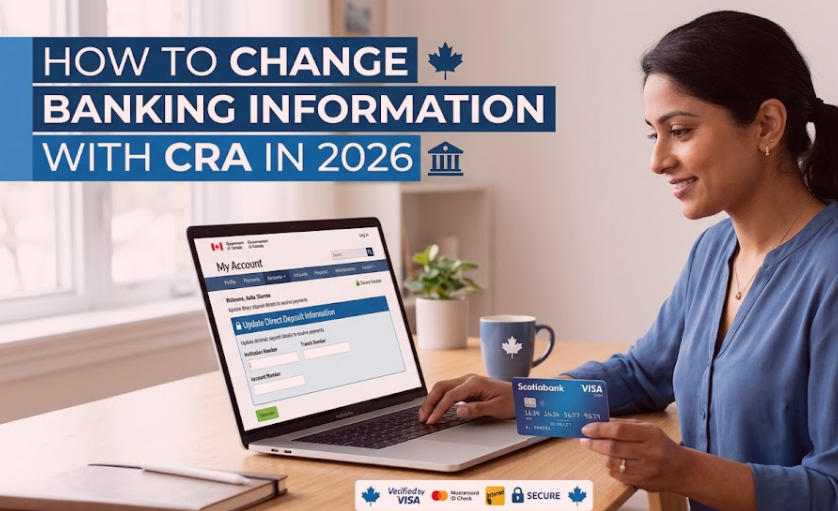
If you’ve recently switched banks or opened a new account, updating your direct deposit details with the Canada Revenue Agency (CRA) is essential to avoid delays in your tax refunds and government benefit payments. This guide covers every method to update your CRA banking information in 2026, exactly what numbers you need, how long processing takes, and an important detail most guides miss: how your CRA banking update also affects your Service Canada payments (CPP, OAS).
Why You Need to Update Your Banking Information
CRA uses your banking details for direct deposit of:
- Income tax refunds
- GST/HST credit
- Canada Child Benefit (CCB)
- Canada Carbon Rebate
- Canada Workers Benefit
- Old Age Security (OAS) and Guaranteed Income Supplement (GIS) — via the shared link with Service Canada
- Disability Tax Credit refunds
- Other federal and provincial benefit payments
If your account is closed or the details on file are outdated, payments can be delayed or returned.
When You Should Update Your Banking Information
- You opened a new bank account
- You switched financial institutions
- You closed your old account
- Your account number changed
- Your bank merged with another institution, issuing new account details
- You simply want future payments sent elsewhere
Update before your next scheduled payment to avoid delays — see our Canada Benefit Payment Dates 2026 guide to check upcoming payment dates for your specific benefits, and our CPP Payment Dates 2026 guide if you receive CPP.
What Information You’ll Need
- Social Insurance Number (SIN)
- Date of birth
- Institution number — a fixed 3-digit code (e.g., RBC is 003, TD is 004, Scotiabank is 002, bro is 001, CIBC is 010, National Bank is 006)
- Transit number — a 5-digit branch code
- Account number
- Access to CRA My Account (for the online method)
All three banking numbers — institution, transit, and account number — are required. Providing only two will cause a rejected setup or a returned deposit. If you don’t have a physical cheque handy, these numbers are also available through your online banking app under account details.
Method 1: CRA My Account (Fastest)
- Log in to CRA My Account using your CRA credentials or a Sign-In Partner (your bank’s login)
- Go to Direct Deposit — select “Profile” or “Direct Deposit,” then “Update Banking Information”
- Enter your new details — institution number, transit number, account number
- Review and submit — you’ll get a confirmation screen, and usually a follow-up confirmation in your CRA mailbox
If you haven’t set up CRA My Account yet, see our CRA Login Guide 2026.
Method 2: Through Your Bank’s Online Banking Service
Many Canadian banks offer a direct CRA-linked service:
- Log in to your online banking
- Look for “CRA Direct Deposit” or “Government Direct Deposit” under customer service or request centre
- Follow the prompts to authorize the update
Your bank forwards the information to CRA automatically — convenient if you already bank online regularly. Note that banks can’t see or confirm your CRA records directly; you’ll still want to verify the update in CRA My Account afterward.
Method 3: Call the CRA
If you can’t use My Account or online banking, call 1-800-959-8281. Have ready:
- SIN
- Date of birth
- Current address
- Details from your most recent tax return
- New banking information
Method 4: Mail (Form T1-DD)
For those who prefer paper, individuals can complete a direct deposit request form and mail it to the address listed on the form. This is the slowest method — expect it to take considerably longer than the online or phone options, so use it only if you have no other access option.
⚠️ Important: If you’ve never filed a Canadian tax return before, you must first call 1-800-959-8281 to register your SIN with the CRA before you can enroll in direct deposit at all.
How Long Does It Take?
| Method | Typical Processing Time |
|---|---|
| CRA My Account (online) | Fastest — often applied before your next payment |
| Bank’s online banking service | Similar to CRA My Account, slightly bank-dependent |
| Phone | Same call, once verified |
| Slowest — weeks, sometimes longer |
Updates made very close to a scheduled payment date might not apply until the following payment cycle, so update as soon as you know your new details.
✅ Good News: CRA and Service Canada Now Share Your Direct Deposit Info
This is a genuinely useful fact that most competing guides don’t mention clearly. Unlike address changes — which are not shared between departments (see our address change guide) — banking information is different:
When you update your direct deposit through CRA My Account or the MyCRA mobile app, your banking information is automatically shared with Employment and Social Development Canada (ESDC), which runs Service Canada.
Practical takeaway: If you receive both a CRA payment (like the GST/HST credit) and a Service Canada payment (like CPP or OAS), you only need to update your banking information once, through CRA My Account. It applies to both.
CRA vs Service Canada: What’s Shared and What Isn’t
| Update Type | Shared Automatically Between CRA and Service Canada? |
|---|---|
| Banking / direct deposit info | ✅ Yes — one update covers both |
| Mailing address | ❌ No — must be updated separately with each |
What Payments Does This Affect?
Once updated, your new banking details apply to all future CRA and linked Service Canada payments, including:
- Income tax refunds
- GST/HST credit
- Canada Child Benefit
- Canada Carbon Rebate
- Canada Workers Benefit
- Disability Tax Credit refunds
- CPP and OAS (via the ESDC link)
Updating Banking Information for Others
You can generally only update your own account, unless you’re an authorized legal representative (executor, power of attorney, legal guardian) who meets CRA’s authorization requirements — in which case additional documentation is needed before the CRA will action the request.
How Pending Payments Are Affected
- If CRA receives your updated banking info before your next payment is processed, that payment goes to your new account.
- If a payment was already processed with your old banking info and that account is closed, the payment is typically returned to the CRA, which then reissues it once your updated information is confirmed — this adds delay, so don’t close your old account until you’ve received at least one payment in the new one.
If You Entered Incorrect Banking Information
- Log in to CRA My Account immediately
- Correct the institution, transit, or account number
- Verify the correction was saved
- If a payment is due soon, call the CRA directly for help
Common Mistakes to Avoid
- Delaying the update until a payment deadline is close
- Typos in the institution, transit, or account number — even one digit throws off the whole deposit
- Closing your old account too early, before confirming the new one is active
- Joint account issues — confirm the account can accept a direct deposit under your name specifically
- Ignoring CRA follow-up requests for additional verification
Protecting Yourself During a Banking Update
- Only access your CRA account through the official CRA website — never through a link in an email or text
- Never share your CRA login credentials with anyone
- Enable multi-factor authentication if available
- Periodically review your CRA account for changes you didn’t make
- If you suspect fraud, contact the CRA immediately
If you’re having trouble logging in at all, our CRA Login Problems 2026 guide covers common fixes.
Frequently Asked Questions
How do I update my banking information with CRA in 2026?
Log in to CRA My Account, go to Direct Deposit, and enter your new institution, transit, and account numbers. You can also update through participating banks’ online banking services.
How long does it take to update banking information with CRA?
Online updates are fastest, often applied before your next payment. Mailed requests are considerably slower.
Can changing my banking information delay my refund?
Not usually — if updated before the refund is processed, it goes to the new account without delay.
Can I update my CRA banking info through my bank? Yes, many Canadian financial institutions offer a CRA Direct Deposit enrollment option directly in their online banking.
What happens if my old bank account is closed?
The payment is returned to the CRA and reissued once your updated banking information is processed.
If I update my direct deposit with CRA, does it also update my CPP/OAS payments?
Yes. CRA and Service Canada share direct deposit information when updated through CRA My Account or the MyCRA app — so your CPP and OAS payments follow automatically. This is different from address changes, which are not shared and must be updated separately with each department.
Can I update banking information more than once?
Yes, as often as needed — each update is processed independently, so make sure your most recent submission reflects your current account.
Conclusion
Keeping the CRA informed about changes to your banking details is one of the simplest ways to prevent delays in your tax refunds and government benefits. The fastest method is CRA My Account, and the useful part is that a single update there also takes care of your CPP and OAS direct deposit through Service Canada — you don’t need to do it twice.


Pingback: How to Update Your Marital Status With CRA 2026
Pingback: What Happens to GIS After a Spouse Dies | 2026
Pingback: CRA Data Breach Settlement 2026: Claim Up to $5,000