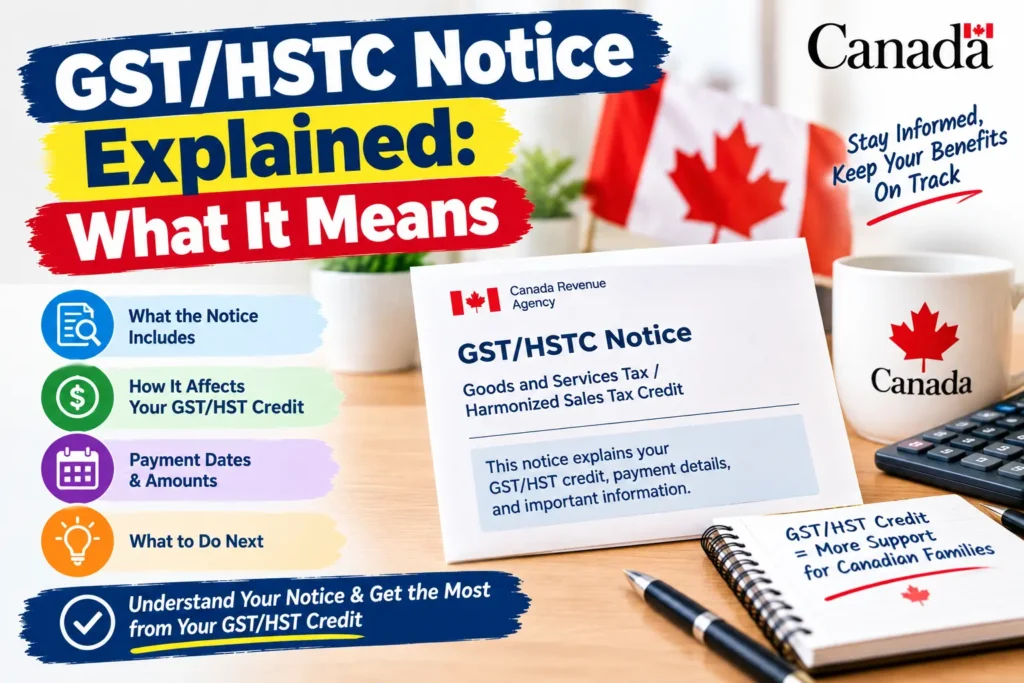
If a letter from the CRA titled “Goods and Services Tax/Harmonized Sales Tax Credit (GST/HSTC) Notice” just landed in your mailbox or your CRA My Account inbox, here’s the short version: this is the CRA’s official explanation of how much credit you’re getting, why, and based on what numbers. A GST/HSTC Notice isn’t something to worry about — it’s informational, and reading it properly can actually help you catch errors before they cost you money. Here’s exactly how to read one, what each section means, and what to do if something looks off.
What Is a GST/HSTC Notice?
A GST/HSTC Notice is the official document the CRA sends explaining its determination of your eligibility for the GST/HST credit and how your payment amount was calculated. It’s not a bill, and it’s not a request for payment — it’s a decision letter, telling you what the CRA has determined you’re entitled to and why.
One important update for 2026: the GST/HST Credit itself was replaced starting July 2026 by the Canada Groceries and Essentials Benefit (CGEB), which pays a permanent 25% higher amount. If your notice covers a payment period from July 2026 onward, you may see it labeled under the CGEB name instead of GST/HSTC, even though it’s issued through the same notice system. See our full guide to the Canada Groceries and Essentials Benefit (CGEB) 2026 if your notice references the new program name.
Why the CRA Sends You a GST/HSTC Notice
You’ll typically receive one of these notices in a few specific situations:
- First-time determination — after you file a tax return for the first time, or after a life change (turning 19, having a child, becoming a resident), the CRA sends a notice confirming your new eligibility.
- Annual recalculation — your entitlement is reassessed every July based on your previous year’s tax return, and the CRA sends an updated notice reflecting any change.
- A change to your information — if your marital status, number of children, or income changes mid-year, the CRA recalculates and issues a new notice.
- A missing information request — sometimes the notice isn’t a final determination at all, but a request for additional details the CRA needs before it can calculate your credit. These notices specify exactly what’s missing and set a deadline for responding.
How to Read Your GST/HSTC Notice: Section by Section
The CRA redesigned these notices to put the most important information on the first page, in plain language. Here’s what each part tells you:
1. Account summary and payment period. This section at the top shows the specific benefit period the notice covers, and your current payment amount for that period.
2. Adjusted Family Net Income (AFNI). This is the single most important number on the notice — it’s the income figure the CRA used to calculate your entitlement. If this number looks wrong, that’s usually the first thing worth double-checking, since your whole payment calculation flows from it.
3. Calculation breakdown. This section walks through how your AFNI, marital status, and number of children were combined to produce your final entitlement amount. If your payment seems lower or higher than expected, this is where you’ll find the specific inputs that produced that number.
4. Explanation of changes (if applicable). If this notice reflects a change from a previous determination, this section states what changed and why — for example, “we increased your annual entitlement based on updated information on file.”
5. Next steps or contact information. If the CRA needs anything further from you, or if you want to dispute the determination, this section tells you how.
A Real Example of What a Notice Looks Like
To make this concrete: a typical GST/HSTC notice might read something like, “We changed your annual entitlement based on the information we have. We increased your annual GST/HSTC entitlement from $443.00 to $851.44.” Below that, it would show the specific payment being issued for the relevant period, based on a stated net income figure and marital status. This is exactly the kind of plain-language breakdown the CRA aims for — the notice tells you the old amount, the new amount, and the income figure that drove the change, all without you needing to decode anything.
What to Do When You Receive a GST/HSTC Notice
- Read the AFNI and calculation section first. This tells you immediately whether the CRA has your income and family situation correct.
- Compare it against your own records. If the income figure doesn’t match what you filed, or your marital status or number of children is wrong, that’s worth addressing directly.
- Check whether it’s a missing information request. If so, note the deadline and gather the specific documents requested — proof of income, residency, or similar — rather than ignoring it, since a missed deadline can delay your payment.
- Keep it for your records. You don’t need to respond to a standard determination notice, but it’s worth saving in case a future dispute or reassessment references it.
- Check CRA My Account if anything is unclear. Your account shows your full benefit and payment history alongside the notice itself, which can help confirm whether the figures line up.
What If There’s an Error on Your Notice?
If you believe the CRA made a mistake — an incorrect income figure, a marital status that’s no longer accurate, or a missing dependant — you can request a reassessment. Electronic requests through CRA My Account are typically processed in a few weeks; a mailed request takes noticeably longer. If the reassessment is successful, the CRA issues an updated notice, and any retroactive amount owed is included in your next scheduled payment rather than as a separate deposit.
GST/HSTC Notice vs. Notice of Assessment: Don’t Confuse Them
These are two different documents that often arrive around the same time of year, which causes confusion:
| GST/HSTC Notice | Notice of Assessment (NOA) | |
|---|---|---|
| What it covers | Your GST/HST credit (now CGEB) eligibility and amount | Your overall tax return — income, deductions, refund or balance owing |
| When it arrives | After filing, and again every July | Typically 2-8 weeks after filing |
| What it tells you | Your quarterly credit calculation | Whether you owe money or are getting a refund |
If you’re trying to understand your Notice of Assessment specifically, rather than your benefit notice, see our guide to the CRA Notice of Assessment explained.
Where to Find Your GST/HSTC Notice Online
Rather than waiting for mail, you can view your current and past GST/HSTC (or CGEB) notices directly through CRA My Account, under the mail or notices section. If you haven’t registered for an account yet, our CRA My Account 2026 guide walks through setup, and registering for online mail means you’ll see future notices there immediately rather than waiting for a mailed copy.
Frequently Asked Questions
What is a GST/HSTC Notice?
It’s the CRA’s official document explaining your determination for the GST/HST credit (now the CGEB), showing your income figure, calculation breakdown, and payment amount for a specific period.
Do I need to do anything when I get a GST/HSTC Notice?
Usually no action is required for a standard determination notice — it’s informational. If it’s specifically a missing information request, you do need to respond by the stated deadline.
Is a GST/HSTC Notice the same as a tax bill?
No. It’s not a request for payment. It explains your credit entitlement, not an amount you owe.
Why did my GST/HSTC Notice show a different amount than I expected?
Check the Adjusted Family Net Income (AFNI) and calculation breakdown sections — these show exactly which income and family details were used, and a mismatch there usually explains the difference.
What should I do if there’s an error on my GST/HSTC Notice?
Request a reassessment through CRA My Account for the fastest processing, or by mail. A successful correction results in an updated notice and any retroactive payment owed.
Will my GST/HSTC Notice now say “CGEB” instead?
For payment periods starting July 2026 onward, yes — the program was renamed to the Canada Groceries and Essentials Benefit, though the notice system and process work the same way.
This article is for informational purposes only. Review your specific notice details directly through CRA My Account or by contacting the CRA.
Stay updated with the latest Canada government benefits, payment dates, and CRA news — explore more guides at Benefits Pulse Hub.