
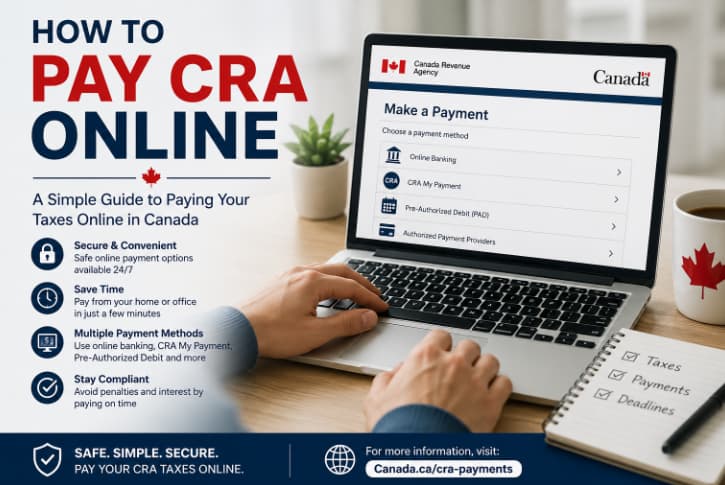
Learning how to pay CRA online is one of the easiest ways to keep up with your tax obligations in Canada, really. The Canada Revenue Agency (CRA) provides a few secure payment choices online, which makes it simple to pay personal income tax, business taxes, GST/HST, payroll deductions, and other balances without going to a bank in person or mailing a cheque. Whether you are settling a tax balance, making instalment payments, or handling business taxes, understanding how to pay CRA online can help you sidestep interest charges, penalties, and annoying delays too.
Whether you owe money after filing your tax return or you plan to make an instalment payment, learning how to pay the CRA online can help you dodge interest charges, penalties, and that extra tension that shows up when deadlines sneak up.
This guide goes over every major online payment option you can use, then explains how to pick the right path, common slip ups to avoid,and what to do when you cannot cover your balance in full.
How to Pay CRA Online: Why Pay Your CRA Taxes Online?
Online payments are the quickest and most convenient way to send funds to the CRA. For many people, payments are processed electronically so there is less risk of delays from mail or manual handling.
Benefits include:
- Secure electronic transactions, available 24/7 always
- Faster payment processing, without much delay
- Less paperwork to deal with, basically easier
- You can track your payment history
- Convenient payment from home, at any time
A lot of taxpayers also prefer online payments, because they can instantly receive confirmation from their financial institution.
How to Pay CRA Online: Before you make a CRA payment
Before you log in to your bank or payment service, collect these details:
- Your Social Insurance Number, SIN, for personal taxes
- Your CRA account number if you are paying business taxes
- The tax year you are paying for
- The payment amount you want to send
- Your online banking credentials
If you are not sure how much you owe, check your latest Notice of Assessment, or log in to your CRA My Account
If you are unsure how to understand your balance owing or your recent transactions, read our guide on How to Read Your CRA Account Statement before you make a payment.
How to Pay CRA Online: Method 1, pay CRA through online banking
Online banking is the payment method that is used the most in Canada.
Almost, every major Canadian bank lets you add the CRA as a payee. It can feel a bit fiddly at first but it works.
Step 1
Go into your online banking, log in.
Step 2
Pick Add Payee.
Step 3
Look for the CRA payment option.
Depending on your bank, you might see things like:
- CRA Personal Income Tax
- CRA Tax Instalment
- Business Tax
- GST/HST Payment
Always choose the payment category that matches what you actually owe for taxes.
Step 4
Type in your account number.
For personal income tax, this is usually your SIN.
For businesses, use your CRA Business Number.
Step 5
Enter the amount you plan to pay.
Step 6
Double-check every detail before you send it.
Most payments made online get processed within one to three business days.
Method 2: Pay Using CRA My Payment
CRA My Payment is an online service that lets taxpayers pay directly from a bank account using Interac Debit from participating financial institutions.
This option works well if you prefer paying straight through the CRA website, without having to log in to online banking first.
The advantages include:
- Secure connection
- No need to mail payments
- Immediate payment authorization
- Available for personal and business taxes
Method 3: Pay Through Your CRA My Account
If you registered for CRA My Account already, you can check your owing balance and select the payment options that are available to you right now.
Inside My Account, you can:
- See current balances
- Look at payment history
- Access Notices of Assessment
- Set up payment arrangements
- Review instalment requirements
This creates a simple route so you can make sure the amount is the correct one.
If you have not registered yet, this article comparing My Service Canada Account versus CRA My Account explains what is different , and it helps you pick the right government account.
Method 4: Pay using a Debit Card via Third Party Providers
The CRA permits a selection of third party payment providers that let you pay using:
- Visa Debit
- Debit Mastercard
- Credit cards (using third party processors)
- Digital wallets in some situations
While it is convenient, these options usually involve processing fees.
Before you use one of these third party payment services, check the fee against other available ways to pay.
Method 5: Pre Authorized Debit (PAD)
If you want automatic payments, the CRA has Pre Authorized Debit.
With PAD, the CRA automatically withdraws funds from your bank account on the planned dates.
This works very well for things like:
- Monthly instalments
- Tax payments in advance
- Payment arrangements
- Helping you avoid missed deadlines
You stay in control and can tweak or cancel scheduled payments up until the withdrawal date.
Method 6: Pay Using a Financial Institution
Even if most people lean on online banking, you can also move money electronically through your financial institution’s mobile app or by using their branch services.
A lot of banks provide:
- Mobile banking apps
- Telephone banking
- In-person electronic payments
These transmissions go right to the CRA.
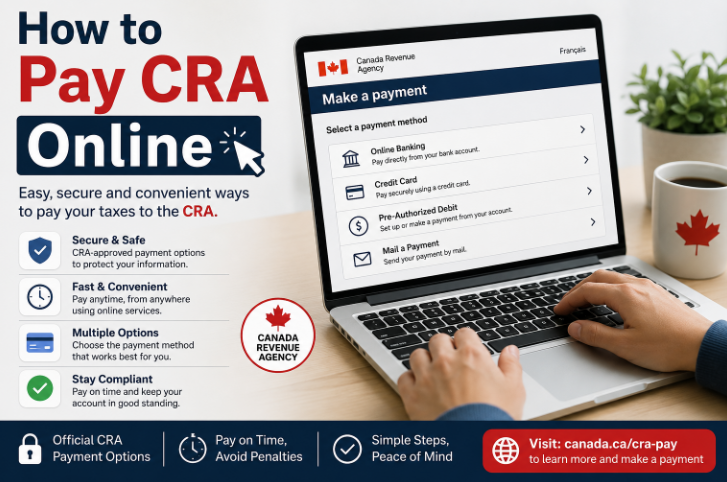
How to Pay CRA Online: Paying Personal Income Tax
When paying personal taxes online, make sure you choose the correct payee.
For example:
- CRA Personal Income Tax
- Current Year Tax Return
- Tax Amount Owing
- Instalment Payment
If you pick the wrong payee , the CRA may apply it later, meaning the timing can get delayed.
How to Pay CRA Online: Paying Business Taxes Online
Business owners can also pay various CRA accounts online , such as:
- GST/HST
- Payroll deductions
- Corporation income tax
- Excise taxes
Before you submit, businesses should confirm the right Business Number.
How to Pay CRA Online: Paying Tax Instalments
Some taxpayers are supposed to send in quarterly tax instalment payments.
These usually apply to people who have tax owing again and again from self-employment income, investment income, rental income, and other untaxed income.
The main idea behind these instalments is that they help spread the tax payments across the year, instead of dropping a big final balance after you file everything.
How to Pay CRA Online: Can you pay the CRA with a credit card?
The CRA does not really take traditional credit card payments directly.
But, approved third party payment providers let taxpayers pay with cards like:
Visa, Mastercard, and American Express
Just keep in mind, processing fees are usually charged. Also, if you keep a balance on your card, interest from your credit card issuer can add up and make the total amount more expensive.
For many people, online banking or Interac Debit tends to be the more budget friendly choice.
How long does an online CRA payment take?
The timeline depends on how you pay.
In general, you might see something like this
| Payment Method | Typical Processing Time |
|---|
| Online Banking | 1–3 business days |
| My Payment | Usually within 1–3 business days |
| Pre-Authorized Debit | On scheduled withdrawal date |
| Third-Party Provider | Usually 1–3 business days |
Try not to wait until the final filing deadline, because payment delays can still trigger interest charges.
What happens after you pay?
After processing, your payment should show up in your CRA account.
You should check, verify
- Payment amount
- Payment date
- Remaining balance
- Updated account statement
If your payment does not appear after several business days, contact your financial institution first, before reaching out to the CRA.
What If You Cannot Pay the Full Amount?
Many taxpayers cannot pay the whole balance right away.
Leaving the balance alone is often the worst choice. Interest keeps building up.
Instead, you may want to request a payment arrangement with the CRA.
Depending on your situation, the CRA may permit you to pay in monthly installments until the debt is repaid.
If paying your tax owing in full is challenging, read our detailed guide on CRA Payment Arrangements Explained. It will help you understand how repayment plans work and what details you might need before you contact the CRA.
How to Pay CRA Online: Common Online Payment Mistakes
Avoid these common errors:
Selecting the Wrong Payee
Picking the wrong CRA payee can make everything feel longer, like it will just sit there and not move.
Entering a Bad SIN or Business Number
Always double check account numbers before you submit any payment.
Paying After the Deadline
Interest kicks in right after the due date, even if you are only a little late with the payment.
Forgetting About Processing Time
If you send on the due date, it might still not reach the CRA until a few business days later. Plan ahead when it is possible, because that gap can matter.
Paying the Wrong Tax Year
Make sure your payment gets applied to the correct taxation year, or the intended instalment period.
How to Pay CRA Online: Tips for Smooth CRA Online Payments
To help your payment flow better:
- Set up the CRA as a recurring payee in your online banking.
- Save the electronic payment confirmation receipts.
- Check your CRA account after the payment posts.
- Schedule your payment several days before deadlines.
- Verify the correct payment type before you send funds.
These small routine habits can help you avoid unnecessary complications.
Frequently Asked Questions
Is Paying the CRA Online Safe?
Yes. Paying through your Canadian bank or through official CRA options is generally safe. The connection uses secure encryption and verification, so it is not just “open” access.
Can I set up future tax payments?
Yes. With Pre-Authorized Debit you can plan withdrawals for specific dates, ahead of time.
Can I pay someone else’s taxes?
In many cases, yes. Just make sure you type the right SIN or Business Number, and that the numbers are accurate, otherwise the amount might go to a wrong tax record.
What happens if I pay too much?
Often the CRA will treat the extra amount as a credit for later balances, or in some circumstances it can issue a refund. It depends on what your account shows.
Do online payments help me avoid interest?
Only if your payment reaches the CRA before the deadline. Paying electronically does not automatically wipe out interest if it arrives after the due date.
Final Thoughts
Figuring out how to pay the CRA online can actually save time, ease nerves a bit , and help you sidestep avoidable penalties or interest costs. No matter if you pay through online banking, CRA My Payment, Pre-Authorized Debit, or some other electronic channel, make sure you double check the payment information, and leave enough time for it to be processed before the tax deadlines arrive.
If you cannot pay the whole amount right away, don’t just leave it there. The CRA has payment arrangements that could help you handle the obligation while still staying compliant. Keep an eye on your CRA account routinely, and use safe electronic payment methods, so your tax matters stay in order and you can avoid collection problems later on.

Pingback: CRA Installment Payments Explained (2026 Complete Guide)
Pingback: CRA Processing Times (2026 Update): Refund & Tax Guide
Pingback: CRA Scam Calls and Emails: How to Spot Them