
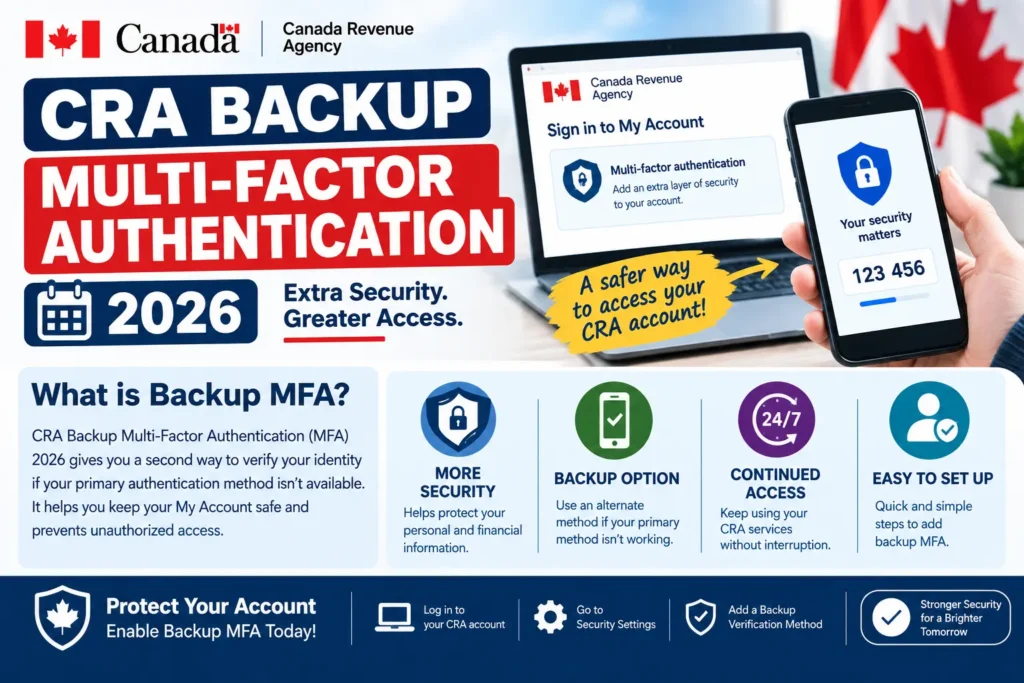
If you’ve logged into your CRA account recently and been prompted to add a “backup” security option, you’re not alone — and it’s worth taking two minutes to actually do it, even though the CRA currently lets you skip it. Here’s exactly what changed, why the CRA is pushing this, and a few things about how it’s being rolled out that most coverage has gotten slightly wrong.
What’s Actually Changing
Since February 9, 2026, the Canada Revenue Agency has been prompting CRA account users to add a backup multi-factor authentication (MFA) option if they don’t already have one on file. Multi-factor authentication itself isn’t new — it’s been mandatory for years, requiring a one-time passcode every time you sign in. What’s new is the backup layer: a second method you can fall back on if your primary one stops working.
Think of it like having a spare key. Your primary MFA method is probably a code sent to your phone. But what happens if you lose that phone, switch numbers, or find yourself somewhere with no cell service right when you need to check a benefit payment or file your taxes? Without a backup method on file, you’d be locked out of your own account — and getting back in usually means calling the CRA and waiting on hold, often during the busiest weeks of tax season.
Is Backup MFA Actually Mandatory Right Now?
Here’s where a lot of the coverage on this topic has been a little misleading. When the CRA first announced this change in December 2025, the plan was to make backup MFA a hard requirement starting February 9, 2026. But after Canada’s Taxpayers’ Ombudsperson raised concerns in early January 2026 about users getting confused or locked out by unfamiliar setup steps, the CRA adjusted its approach.
For the current tax filing season, you’re prompted to add a backup option every time you sign in — but you can choose “set up a backup option later” and skip it. So in practice, it’s currently strongly encouraged, not strictly enforced. That said, skipping it repeatedly doesn’t make the risk go away — it just delays dealing with it until the moment your primary method actually fails, which is the worst possible time to be scrambling.
Why the CRA Is Doing This
Two main reasons, according to the agency’s own explanation:
- Stronger account security. With millions of Canadians accessing CRA accounts every year, a single point of failure in login security is a real risk — particularly relevant given the CRA’s own past account breaches, which affected some users’ personal and financial information. If you’re not sure whether you were affected by an earlier incident, see our guide to the CRA Data Breach Settlement 2026, which covers who qualifies for compensation.
- Fewer lockouts, fewer support calls. If your only MFA method fails and you have no backup, you’re stuck calling the CRA directly. Reducing how often that happens frees up contact centre staff to help with more complex tax and benefit questions, especially during peak season.
Your Backup MFA Options
When you’re prompted, you can choose from:
- A third-party authenticator app — an app on your phone or another device that generates a one-time passcode, independent of your phone number or cell service.
- A passcode grid — a printable grid of codes the CRA generates for you, which you keep somewhere safe and reference when prompted for a specific cell of the grid.
- Set up a backup option later — skips the process for now; you’ll be prompted again next time you sign in.
If you choose to set one up on the spot, you’ll need to enter a one-time passcode to activate it before it’s added to your account.
How to Add or Change Your Backup MFA Method
- Sign in to your CRA account as usual with your primary MFA method.
- When prompted, choose either the authenticator app or passcode grid option, rather than skipping.
- Follow the on-screen steps to link the app or generate your grid, then enter the one-time passcode to confirm it’s active.
- To review or change your methods later, go to your account’s Welcome page, select Security settings, then Multi-factor authentication.
If you’re setting up your CRA account for the first time rather than adding a backup to an existing one, our full CRA My Account 2026 guide walks through registration, every major feature, and general account security from scratch.
What Happens If You Skip It and Then Get Locked Out
If your primary MFA method stops working — a lost phone, a changed number, a deleted authenticator app — and you don’t have a backup on file, you’ll need to contact the CRA directly to regain access. You must actually be signed in to change your MFA settings, so this isn’t something you can fix from the login screen alone. If you’re currently having trouble accessing your account for any reason, our guide to Common CRA Login Problems in 2026 covers the most frequent issues and fixes beyond MFA specifically.
A Scam Warning Worth Repeating
One gap flagged directly by the Taxpayers’ Ombudsperson is that the CRA’s own guidance on this rollout didn’t clearly warn users about scam risks tied to the new backup MFA prompts. Since this is a genuinely new step in the login process, it’s exactly the kind of change scammers try to exploit with fake “CRA security alert” texts or emails asking you to “verify” your MFA setup through a link. A few rules worth keeping in mind:
- The CRA will never ask you to set up or verify MFA through a link in a text message or email — always go directly to the official CRA website yourself.
- Never share a one-time passcode with anyone, even someone claiming to be from the CRA.
- If you’re ever unsure whether a message is genuinely from the CRA, don’t click anything in it — sign in directly through canada.ca instead.
Frequently Asked Questions
Is backup multi-factor authentication mandatory for my CRA account?
Not strictly, as of this tax season. You’re prompted every time you sign in, but you can currently choose to set it up later. The CRA still strongly encourages adding one.
What are my backup MFA options for a CRA account?
A third-party authenticator app or a printable passcode grid — both work independently of your phone number, unlike a text-message code.
What happens if I lose access to my primary MFA method with no backup set up?
You’ll need to contact the CRA directly to regain access, since you must be signed in to change your MFA settings yourself.
Can I change my backup MFA method after setting it up?
Yes. Sign in, go to your account’s Welcome page, select Security settings, then Multi-factor authentication, to review or change your methods anytime.
Will the CRA ever ask me to verify my MFA setup through a text or email link?
No. Treat any such message as a scam and sign in directly through canada.ca instead of clicking a link.
Does adding a backup MFA option slow down my regular sign-in?
No. Once set up, you simply choose which MFA method to use each time you sign in — it doesn’t add extra steps to your normal login.
This article is for informational purposes only. Always manage your CRA account security settings directly through the official CRA website.
Stay updated with the latest Canada government benefits, payment dates, and CRA news — explore more guides at Benefits Pulse Hub.